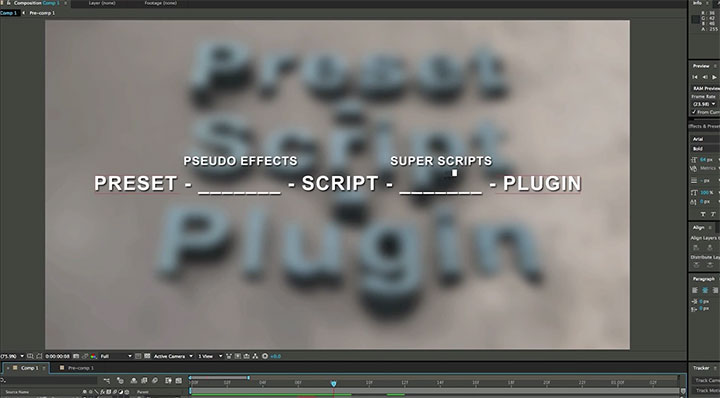
In the vast ocean of video editing, where creativity flows as freely as the tides, Adobe’s Premiere Pro and After Effects serve as twin beacons guiding editors through the tempestuous waters of digital storytelling. Each platform holds a treasure trove of capabilities, and when combined, they unlock an unparalleled artistic synergy. The metaphorical bridge between these two mighty giants is often forged through the transfer of presets from Premiere Pro to After Effects scripts, an alchemical process that transforms the ordinary into the extraordinary.
Understanding the essence of this transformation requires recognizing the unique appeal each program brings forth. Premiere Pro excels in its intuitive timeline management and user-friendly interface, making it the staple for video editors handling primary footage. In contrast, After Effects thrives in the realm of animation and compositing, pushing the boundaries of visual effects and motion graphics. By creating a comprehensive pipeline that flows seamlessly between the two, editors can combine the strengths of each, orchestrating a symphony of visual delight.
The journey of transferring presets begins with a profound understanding of what presets are. Presets, in the simplest terms, are predefined configurations that encapsulate a desired look or effect; akin to a paint palette where the colors are meticulously arranged for instant access. In Premiere Pro, they manifest as various video effects, transitions, and audio adjustments that can be layered onto the timeline, enhancing the visual narrative without the need for intricate adjustments each time.
To embark on the voyage of metamorphosis from Premiere Pro to After Effects, one must first gather the coveted presets. This initial step is reminiscent of an explorer collecting artifacts from an ancient ruin. Within Premiere Pro, navigating to the ‘Effects’ panel reveals a treasure trove of options. Select the desired effect and right-click to reveal the ‘Save Preset’ option. This action is akin to capturing a fleeting moment in time—an encapsulation of creative work that can easily be transported to another realm.
Once harnessed, these presets are ready to transcend into After Effects. The transfer process is akin to a magician’s feat, conjuring illusory elements seemingly out of thin air. To do this, open After Effects and navigate to the ‘Effects & Presets’ panel. It is here that the art of scripting begins. After Effects uses a scripting language called ExtendScript, which allows editors to automate processes, creating intricate meshes of effects that can be replicated at the click of a button.
Translating the Premiere Pro presets into After Effects scripts involves understanding the elemental structure of each preset. This is where a mastery of syntax and creative logic comes into play. For instance, if one desires to replicate a simple color grading effect, the script must be crafted carefully using variables that align with the unique properties of After Effects. This can be compared to constructing a complex machine, where each cog must seamlessly mesh with the others to achieve fluid motion.
As you delve deeper into the realm of scripting, consider the extensive possibilities at your fingertips. After Effects scripts can range from simple adjustments—a mere toggle of a parameter—to elaborate scripts that orchestrate multiple layers with synchronistic precision. It’s vital to explore the nuances embedded in the built-in functions, such as how effects can be manipulated using keyframes, potentiating the interface to weave simple presets into magnificent narratives.
Moreover, engaging with forums and communities dedicated to After Effects scripting can prove invaluable. This is where the explorers gather, sharing their maps and discoveries. In the vast network of artists, you will find scripts that have already sparked ideas. Reverse-engineering existing scripts to understand their architecture can illuminate the paths toward your own creative wielding. It is within these dialogues that innovation ignites, and ordinary editors metamorphose into artisans of motion.
As you venture forward, maintaining an organized repository of your scripts and presets is paramount. Think of this as a well-ordered library—the kind that invites exploration and discovery. Create a structured hierarchy within your file system to keep track of what each script achieves, thus preventing the chaos of disarray from overtaking your creative workflow.
Next, consider the practical implications of these transfers. When you master the art of converting presets into scripts, you unlock a newfound proficiency in your editing process. The speed at which you can manipulate and enhance projects accelerates dramatically, enabling you to breathe life into your visions with efficiency and precision. The result is a virtuosic performance, where your storytelling can evolve without the shackles of technical limitations.
It is essential to acknowledge that each script you create becomes an extension of your creativity. As the curtain draws on each project, the capabilities of After Effects will yield an enduring legacy of unique, engaging content that captures viewers’ fascinations. In the union of Premiere Pro presets and After Effects scripting lies a transformative potential that is nothing short of enchanting.
In summation, the journey from Premiere Pro presets to After Effects scripts is a captivating odyssey—one rich with artistic possibilities and collaborative elements. As you navigate through this enthralling landscape, remember that each script represents not just a tool, but a new brush in your painter’s kit; each preset a color waiting to be transformed into a vibrant masterpiece. Embrace this intersection, for it holds the power to elevate your editing craftsmanship to unparalleled heights.










Leave a Comment