Introduction
The Aeron chair, a hallmark of ergonomic design, marries aesthetics with functionality, proving indispensable in modern workspaces. However, to reap the full benefits of its innovative construction, understanding how to sit properly in an Aeron chair is paramount. This guide delineates meticulous steps to ensure you maintain optimal posture, enhance comfort, and promote productivity.
1. Understanding the Aeron Chair’s Anatomy
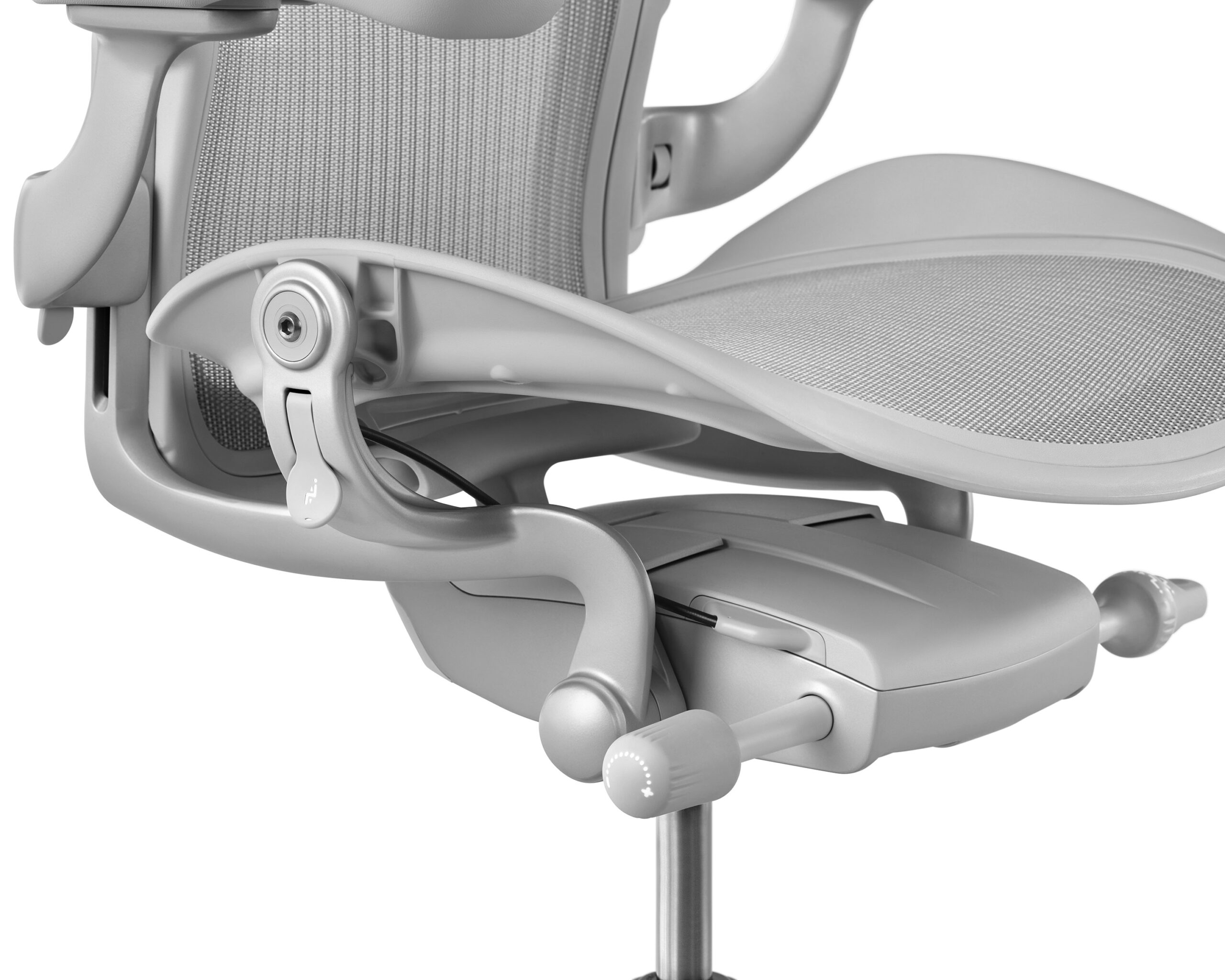
Before delving into the mechanics of proper sitting, it is essential to familiarize oneself with the chair’s unique design features. The Aeron chair boasts a patented Pellicle mesh material that adapts to your body, allowing for dynamic support and breathability. Additionally, its adjustable components—including seat height, lumbar support, and armrests—are meticulously engineered to accommodate a diverse range of body types.
2. Adjusting Seat Height
Your first step in achieving ergonomic nirvana is adjusting the seat height. Elevate or lower the seat so that your feet rest flat on the floor, knees bent at roughly a 90-degree angle, and thighs parallel to the ground. This positioning alleviates pressure from your hamstrings and optimizes circulation, crucial for prolonged sitting.
3. Elevating Lumbar Support
The Aeron chair features adjustable lumbar support tailored to your spine’s natural curvature. To optimize this feature, sit back in the chair and locate the lumbar mechanism. Gently maneuver it to find the point at which the support comfortably cradles your lower back. This adjustment is vital, as an unsupported lumbar area can lead to discomfort and long-term health repercussions.
4. Positioning the Armrests
Proper armrest positioning facilitates neutral wrist alignment and minimizes shoulder strain. Adjust the armrests so they are parallel to your desk height, allowing your elbows to rest comfortably at your sides. Relax your shoulders while typing; a tense posture can lead to undue fatigue.
5. Finding the Correct Seat Depth
Most users overlook seat depth, yet it plays an integral role in overall comfort. To find the ideal depth, sit back in the chair until your back makes contact with the lumbar support. There should be approximately two to four inches of space between the back of your knees and the front edge of the seat. This spacing prevents compression of the thighs and promotes healthy blood flow.
6. The Art of Reclining
One of the signature features of the Aeron chair is its recline capability. Embrace the reclining function, as it allows the body to shift postures throughout the day. Adjust the tilt tension to your comfort level; a slightly more resistant tilt can be beneficial for maintaining focus during work. Avoid locking the chair in a singular position for hours on end; embracing a range of postures encourages circulation and mitigates fatigue.
7. Foot Positioning
Equally important is the positioning of your feet while seated. Ensure your feet make flat contact with the floor or are supported by a footrest if you are seated lower than your desk. This alignment fosters a stable base, enabling the spine to maintain its natural curvature while seated.
8. Regular Movement and Breaks
Even the most ergonomically designed chair cannot negate the toll of prolonged immobility. It is vital to intersperse periods of sitting with movement. Every 30 to 60 minutes, rise from your chair, stretch, or take brief walks. This practice not only invigorates the body but also enhances cognitive function.
9. Mindfulness of Posture
While the Aeron chair is replete with features to support good posture, conscious mindfulness is crucial. Be aware of your alignment: shoulders back, neck neutral, and head aligned with your spine. Regularly check your seated posture; the mind-body connection is powerful and can easily drift into slouching or leaning.
10. Tailoring the Experience
Each individual has unique preferences, so take the time to personalize the Aeron chair experience. Experiment with different adjustments, whether it be lumbar support height or seat depth, until you find what feels ideal for your body. Comfort is subjective, and encapsulating that personal touch can lead to exceptional workspace satisfaction.
Conclusion
In conclusion, to harness the full potential of an Aeron chair, one must engage in thoughtful adjustment and conscientious sitting practices. From the intricacies of lumbar support adjustments to the essentials of periodic movement, every detail counts towards creating an optimal workspace. By embracing these guidelines, you ensure that your Aeron chair becomes a key ally in promoting a healthier and more productive work environment.








Leave a Comment